

- Spot is for spot holdings
- Perpetuals is for perpetual trading and margin
Where to check your balances
Open the Portfolio tab in the top navigation bar.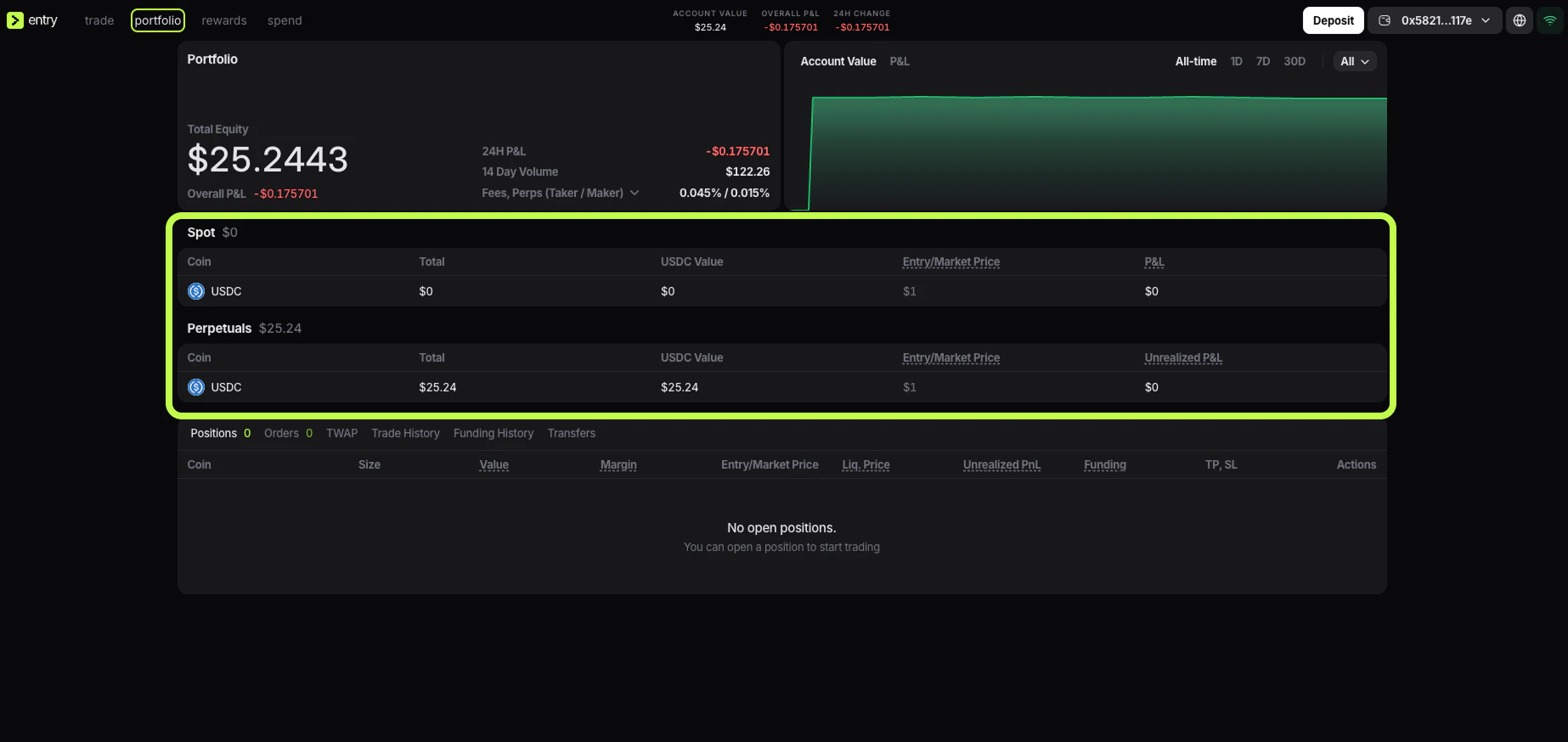
- Spot
- Perpetuals
CoinTotalUSDC Value- Entry/Market Price
P&LorUnrealized P&L
Spot balance
The Spot balance is the part of your account used for spot assets. If funds are in Spot, they are not sitting in your perpetual margin balance. They are allocated to the spot side of the account instead. When you open Portfolio, the Spot section tells you:- which spot asset you hold
- how much you hold
- what that balance is worth in USDC
- whether there is any P&L on that balance
0, no funds are currently allocated there.
Perpetuals balance
The Perpetuals balance is the part of your account used by the trading terminal for perpetual positions. This is the balance that matters when you:- open a long or short position
- use leverage
- post margin for an open trade
- pay or receive funding
0. That means the account is ready for perpetual trading.
Why the balances are separate
The separation makes it easier to control how capital is used. Instead of treating the whole account like one undivided wallet, Entry Finance shows whether funds are currently assigned to spot or to perpetual trading. This makes it easier to:- see how much capital is available for perps
- move idle funds out of the perp margin balance
- check where deposited USDC actually landed
Which balance should you use
Use Spot when you want the funds on the spot side of the account. Use Perpetuals when you want to trade perpetual contracts. If the trading screen is not showing the buying power you expected, check Spot and perpetuals balances first. In many cases the issue is simply that the funds are in Spot instead of Perpetuals, or the other way around.Where deposits arrive
In the current Entry Finance flow, deposits are credited to USDC (Perps). That means after a deposit, the funds appear in Perpetuals by default. If you want to use the funds elsewhere, you need to transfer them internally.Transfer between Spot and Perpetuals
- Click the account menu in the top-right corner and open Transfer.
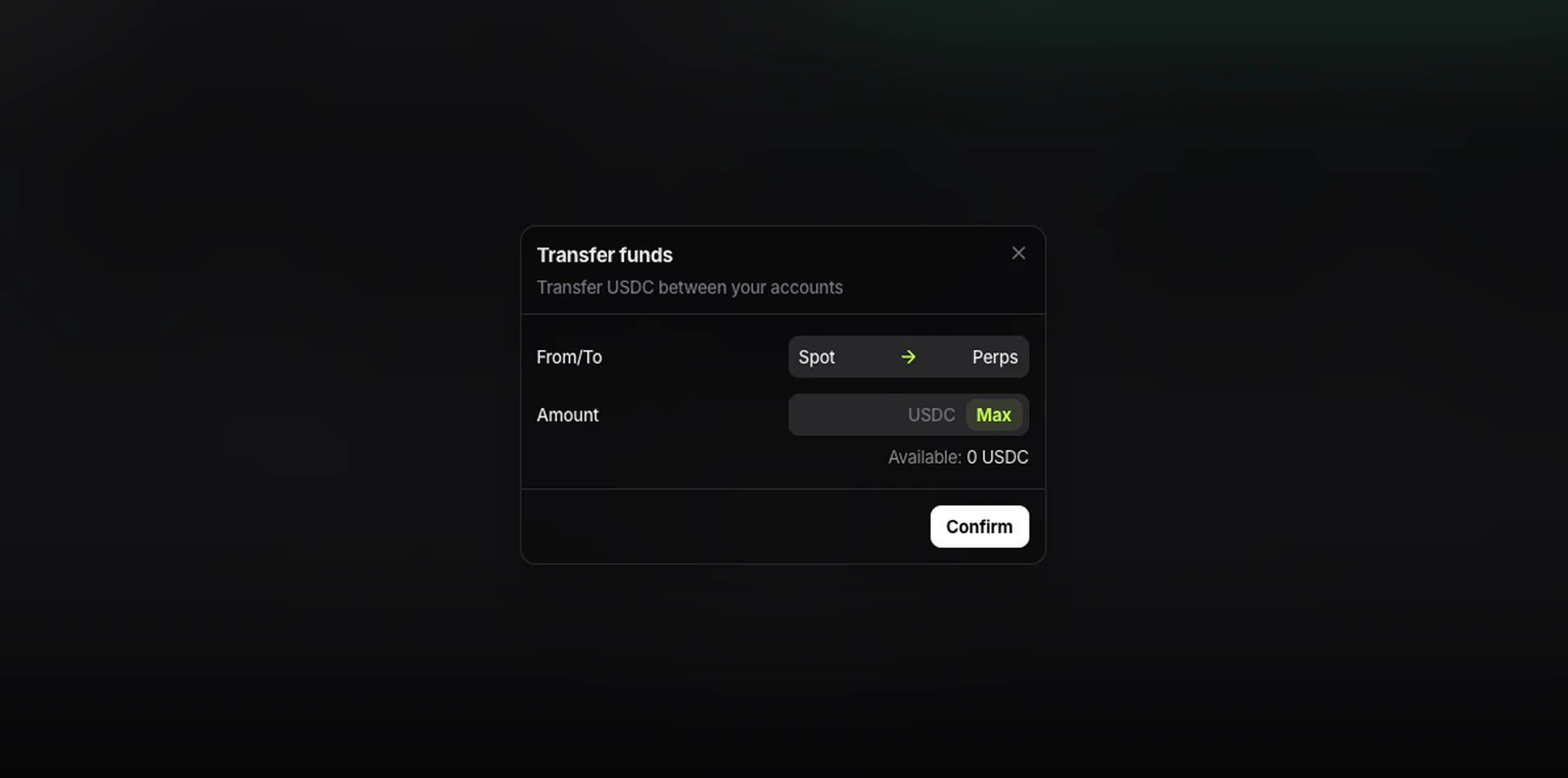
- Select
Spot -> PerpsorPerps -> Spot. - Enter the amount of
USDC. - Click
Maxif you want to move the full available amount. - Check the Available amount.
- Click
Confirm.
What to check before transferring
Before confirming the transfer, make sure:- you selected the correct direction
- the source balance has enough Available USDC
- the funds are not needed as margin for open perpetual positions
Why Available matters
Account Value shows the value of the account as a whole. It does not always mean the full amount can be moved right away.
For transfers, the number that matters is Available inside the transfer window. That is the amount currently free to move from the selected balance.
How to confirm the transfer worked
After the transfer, go back to Portfolio. Check both sections:- the source balance should be lower
- the destination balance should be higher