

In the current withdrawal flow, make sure you select the correct asset and network before confirming. The withdrawal screen also shows the available balance and minimum withdrawal amount.
Withdraw funds
- Click the account menu in the top-right corner of the terminal.
- Select
Withdraw.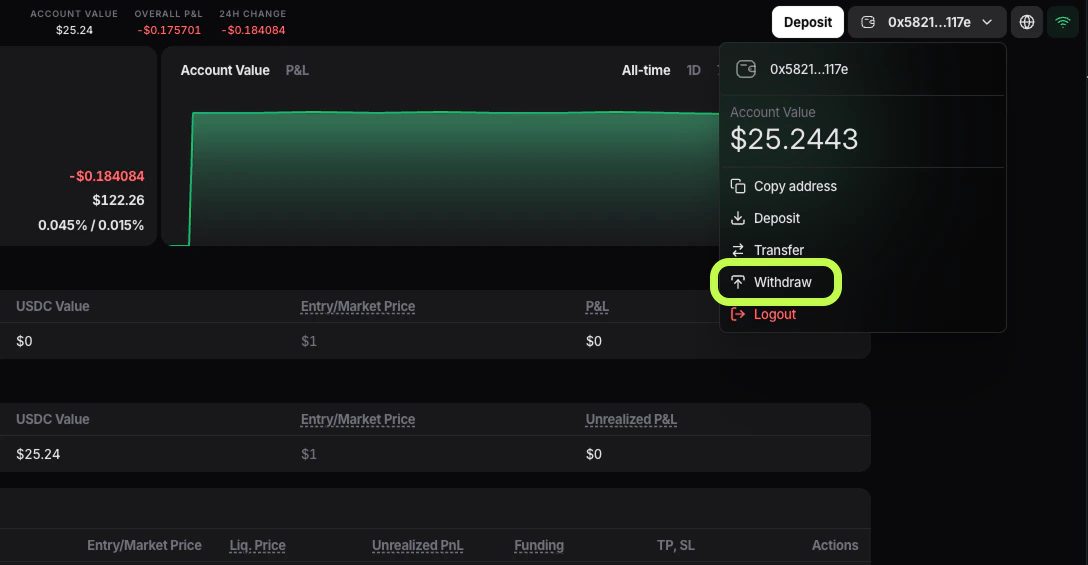
- The
Withdraw Fundswindow will open.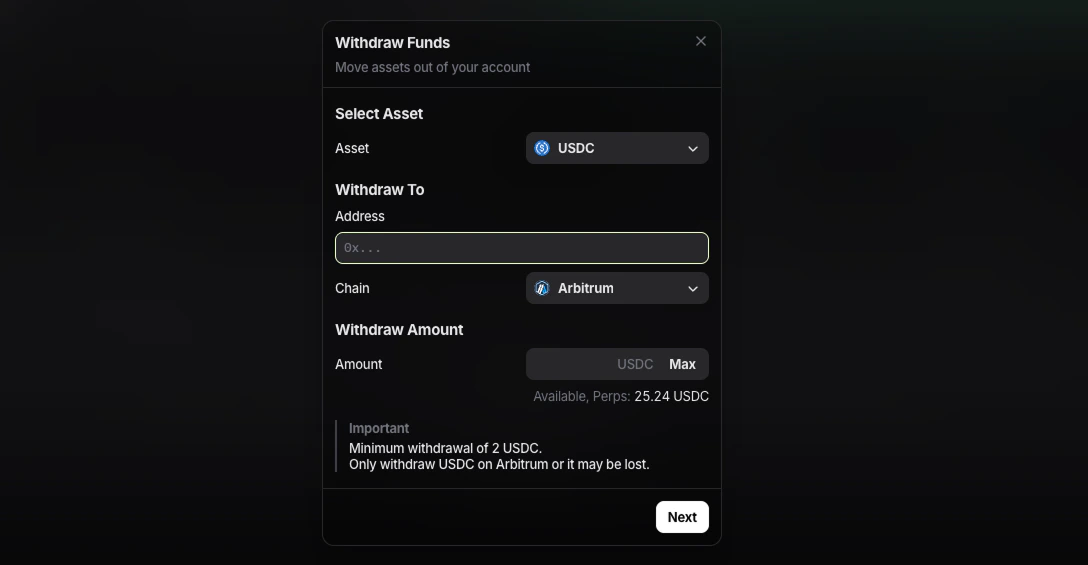
- In the
Assetfield, choose the balance you want to withdraw from:USDCfor the perpetuals balance- USDC [Spot] for the spot balance
- Paste the destination wallet address into the
Addressfield. - In
Chain, select the network that matches the destination wallet or exchange deposit network. In the current interface, the available options are:ArbitrumHyperEVM
- Enter the amount of
USDCyou want to withdraw. If you do not see the full balance available, part of it may currently be locked in active orders. - If you want to withdraw the full available balance, click
Max. - Check the Available line under the amount field. This is the amount you can withdraw right now from the selected balance.
- Click
Next. - Review the withdrawal details and confirm the request.
The current withdrawal form shows a minimum withdrawal amount of
2 USDC.