

All deposit methods credit funds to USDC (Perps). If you want to start trading, that is the balance you should check after the deposit is completed.
Supported deposit methods
- Top Up via Brighty: transfer USDC from your Brighty account
- Deposit with Card: buy USDC with a credit or debit card
- Direct Transfer: send USDC directly to your Entry Finance address
Deposit via Brighty
This is the easiest deposit method if you already use Brighty.- Click the Deposit button in the top right corner of the terminal.
- Select
Top Up via Brighty.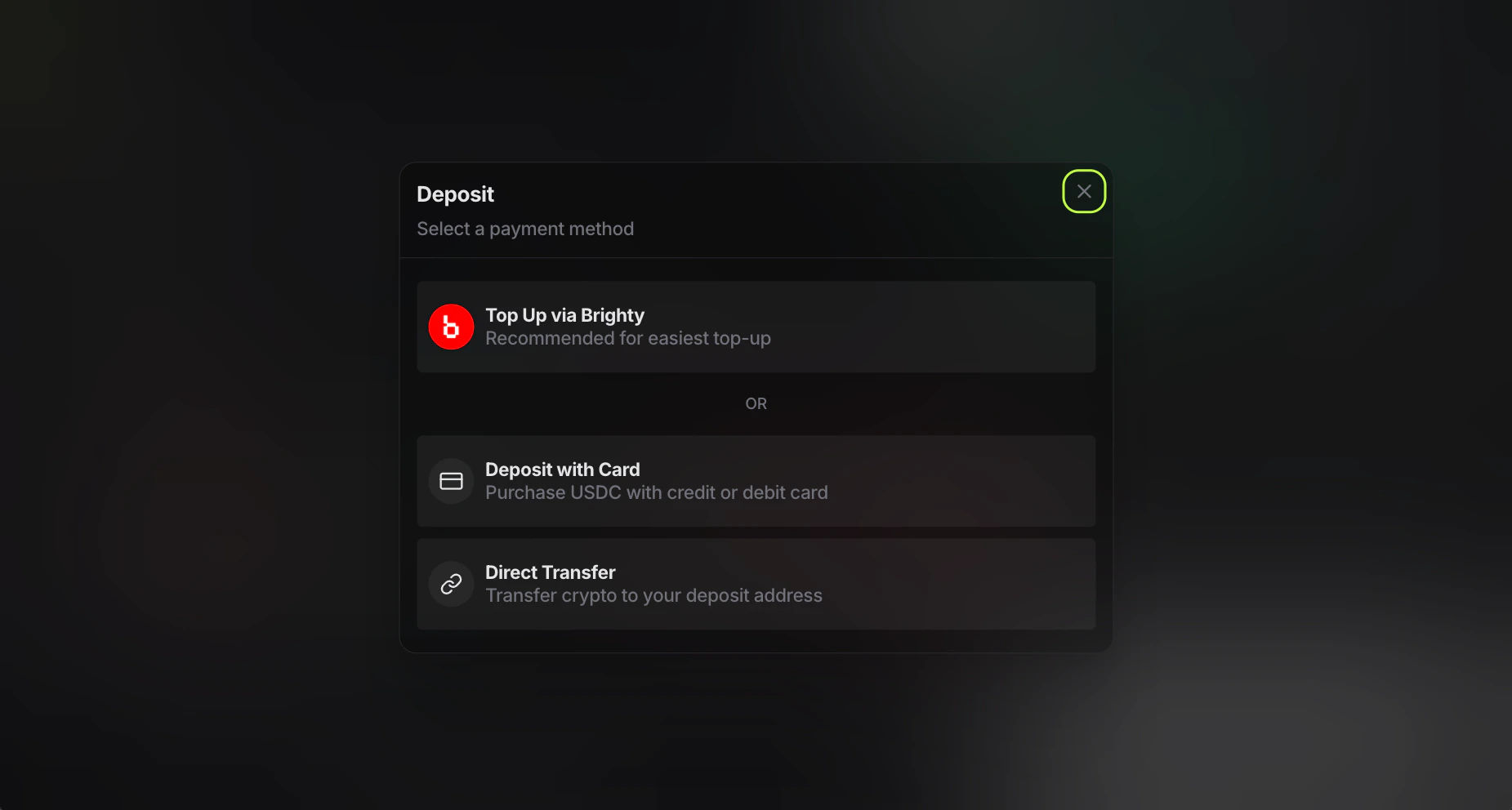
- Scan the QR code with the Brighty app.
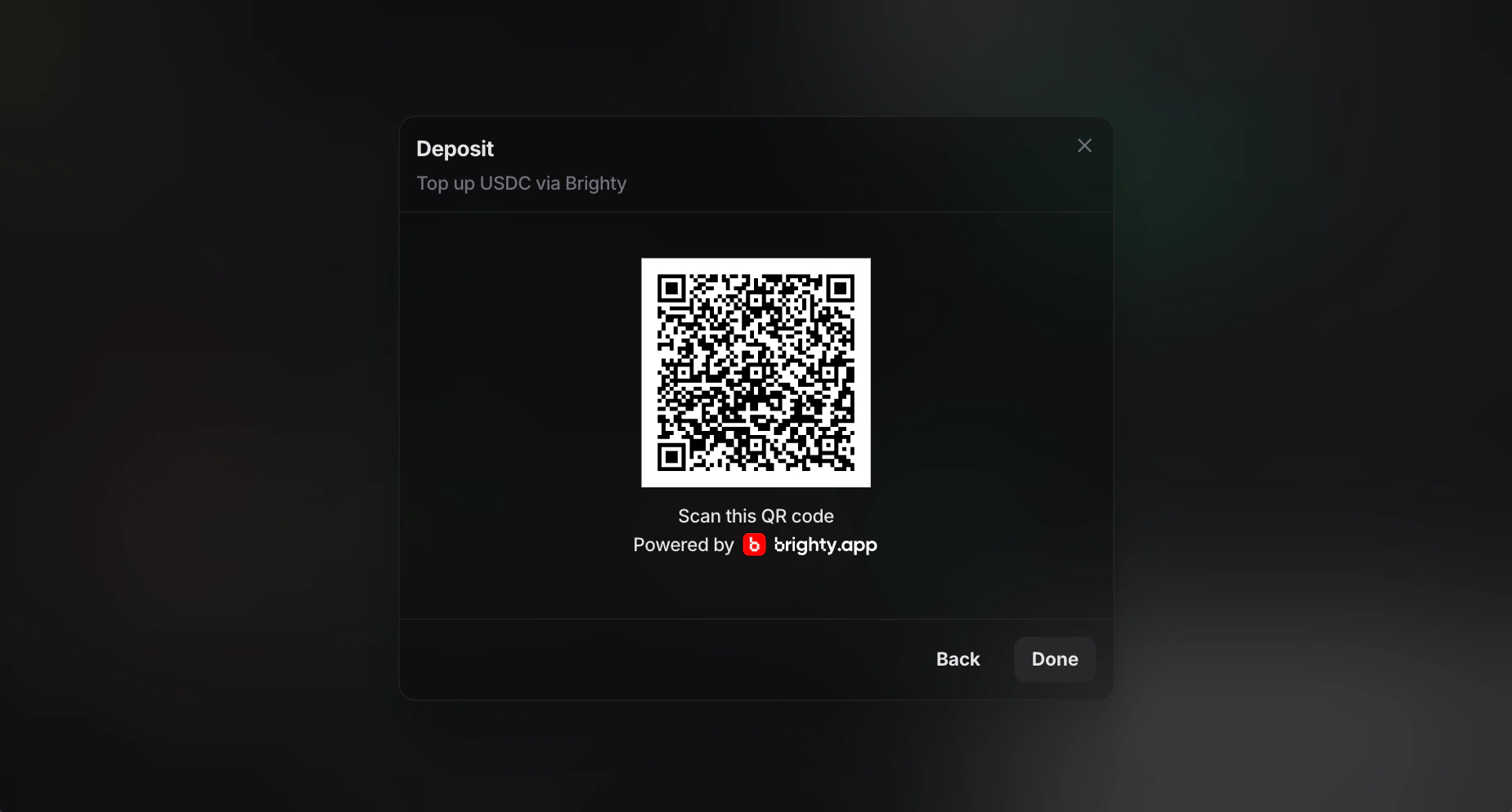
- Confirm the transfer in your Brighty wallet.
- Wait for the transfer to complete.
Deposit with Card
This method is useful if you want to buy USDC directly with a bank card.- Click the Deposit button in the top right corner of the terminal.
- Select
Deposit with Card. - Choose your fiat currency. You can find the full list of supported fiat currencies at the bottom of the page.
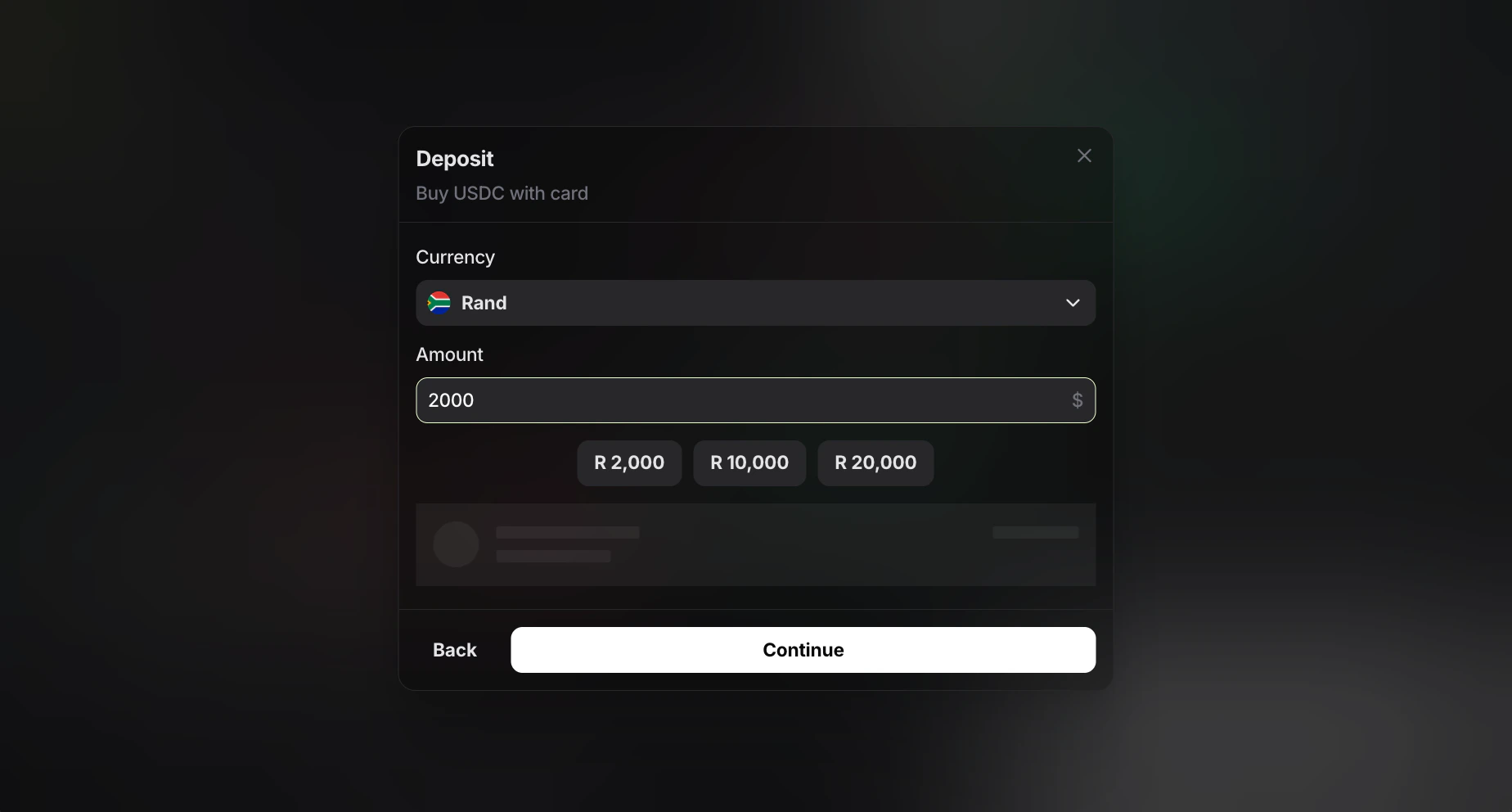
- Enter the amount you want to spend. Entry Finance will automatically select the most favorable partner and display the final amount you will receive in USD in the window below.
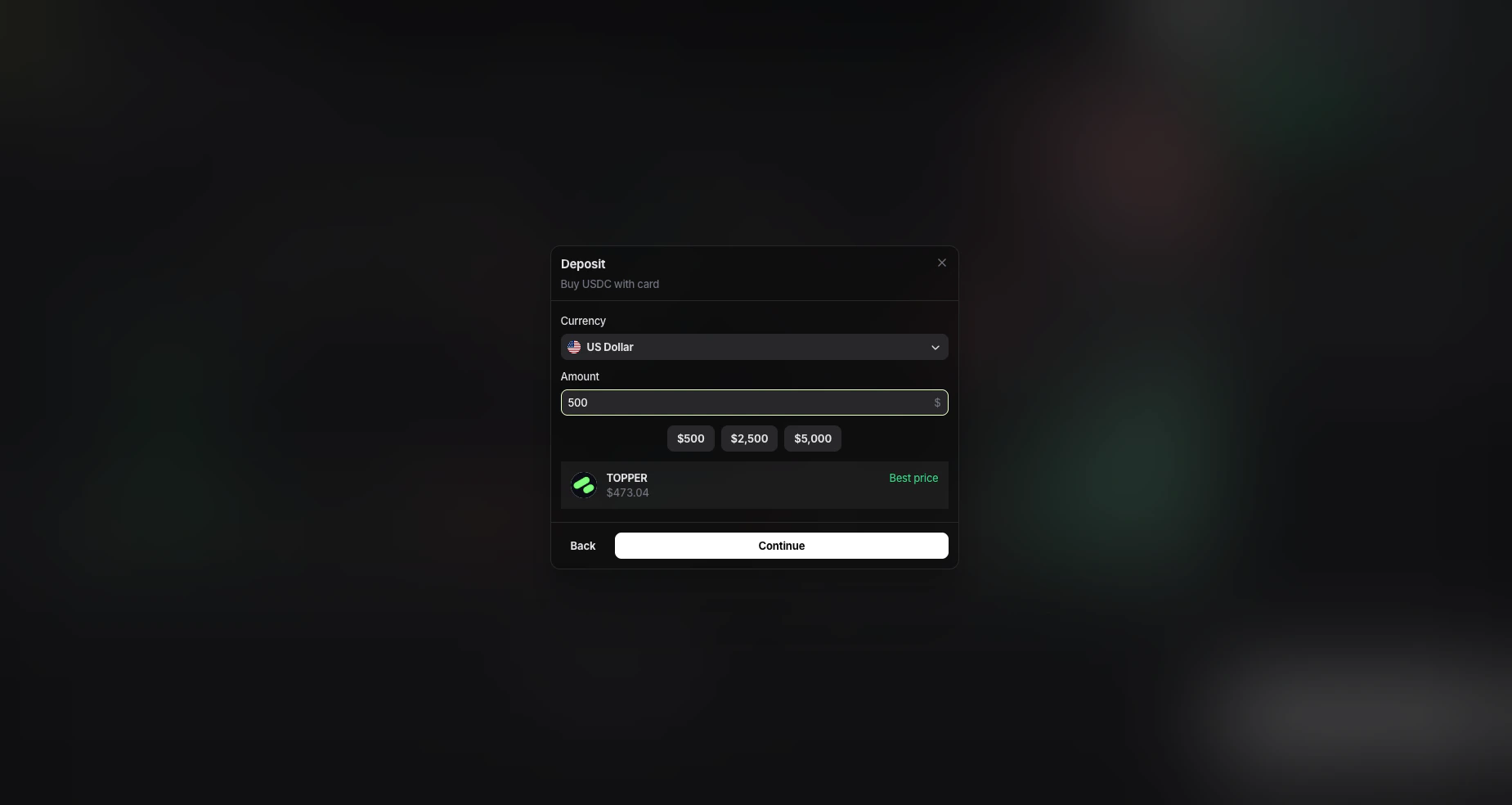
- Click
Continueand complete the card payment in the partner interface.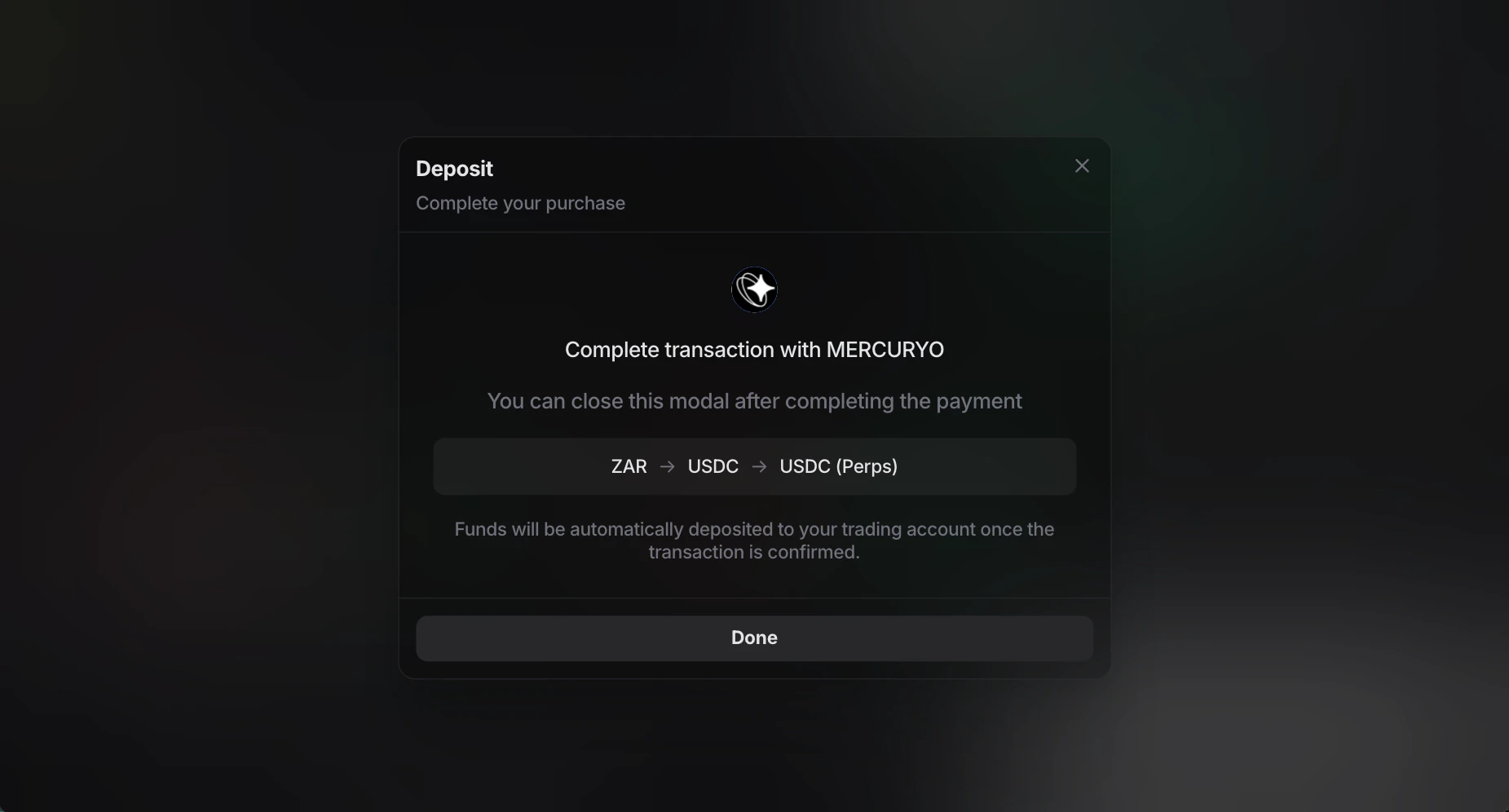
Deposit via Direct Transfer
This method is useful if you already hold USDC and want to send it directly to Entry Finance.- Open the Deposit window in Entry Finance.
- Select
Direct Transfer. - Choose
USDCas the token and correct network. Supported deposit networks:ArbitrumBaseEthereumPolygon
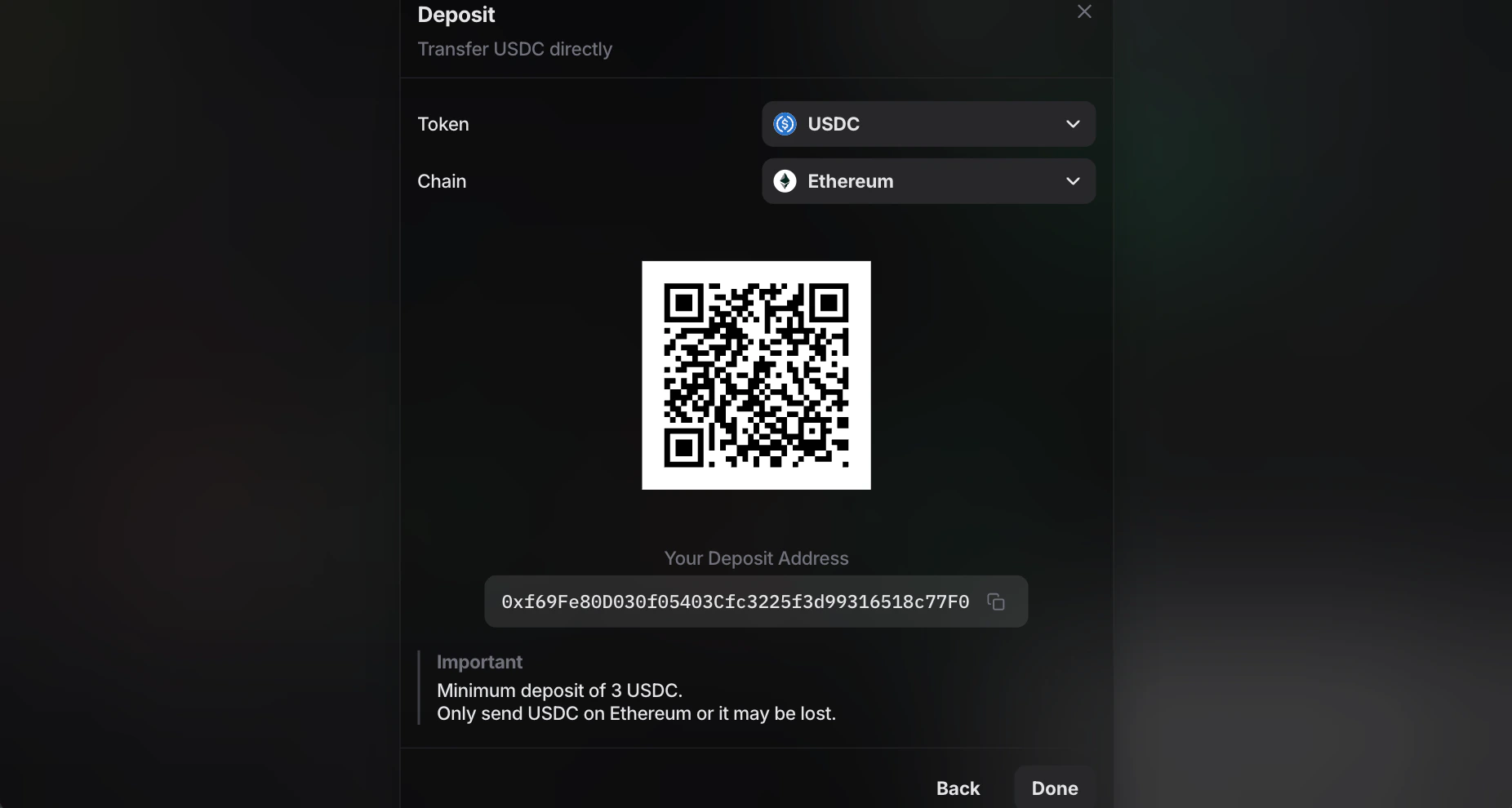
- Copy your deposit address or scan the QR code.
- Send USDC to that address from your wallet or exchange.
- Wait for the transfer to be confirmed.
The current
Direct Transfer screen also shows a minimum deposit of 3 USDC.Supported fiat currencies
ForDeposit with Card:
- 🇦🇷 Argentine Peso
- 🇦🇲 Armenian Dram
- 🇦🇺 Australian Dollar
- 🇧🇭 Bahraini Dinar
- 🇹🇭 Baht
- 🇧🇲 Bermudian Dollar
- 🇧🇷 Brazilian Real
- 🇧🇬 Bulgarian Lev
- 🌍 CFA Franc BEAC
- 🇨🇦 Canadian Dollar
- 🇨🇱 Chilean Peso
- 🇨🇴 Colombian Peso
- 🇭🇷 Croatian kuna
- 🇨🇿 Czech Koruna
- 🇩🇰 Danish Krone
- 🇩🇴 Dominican Peso
- 🇻🇳 Dong
- 🇪🇺 Euro
- 🇭🇺 Forint
- 🇬🇭 Ghana Cedi
- 🇭🇰 Hong Kong Dollar
- 🇺🇦 Hryvnia
- 🇮🇸 Iceland Krona
- 🇮🇳 Indian Rupee
- 🇯🇴 Jordanian Dinar
- 🇰🇪 Kenyan Shilling
- 🇰🇼 Kuwaiti Dinar
- 🇬🇪 Lari
- 🇲🇼 Malawi Kwacha
- 🇲🇾 Malaysian Ringgit
- 🇲🇽 Mexican Peso
- 🇲🇩 Moldovan Leu
- 🇳🇬 Naira
- 🇮🇱 New Israeli Sheqel
- 🇹🇼 New Taiwan Dollar
- 🇳🇿 New Zealand Dollar
- 🇳🇴 Norwegian Krone
- 🇺🇾 Peso Uruguayo
- 🇵🇭 Philippine Peso
- 🇶🇦 Qatari Rial
- 🇬🇧 Pound Sterling
- 🇧🇼 Pula
- 🇿🇦 Rand
- 🇷🇴 Romanian Leu
- 🇮🇩 Rupiah
- 🇷🇼 Rwanda Franc
- 🇸🇦 Saudi Riyal
- 🇷🇸 Serbian Dinar
- 🇸🇬 Singapore Dollar
- 🇵🇪 Sol
- 🇱🇰 Sri Lanka Rupee
- 🇸🇪 Swedish Krona
- 🇨🇭 Swiss Franc
- 🇰🇿 Tenge
- 🇹🇷 Turkish Lira
- 🇦🇪 UAE Dirham
- 🇺🇸 US Dollar
- 🇺🇬 Uganda Shilling
- 🇰🇷 Won
- 🇯🇵 Yen
- 🇨🇳 Yuan Renminbi
- 🇵🇱 Zloty