> ## Documentation Index
> Fetch the complete documentation index at: https://docs.entry.fi/llms.txt
> Use this file to discover all available pages before exploring further.
# Deposit
Deposit USDC in a few minutes from any chain or centralized exchange with 0% fee and no KYC. We are continuously working on adding new funding methods and supported currencies.
All deposit methods credit funds to **USDC (Perps)**. If you want to start trading, that is the balance you should check after the deposit is completed.
## Supported deposit methods
* **Top Up via [Brighty](https://brighty.app/)**: transfer USDC from your Brighty account
* **Deposit with Card**: buy USDC with a credit or debit card
* **Direct Transfer**: send USDC directly to your Entry Finance address
## Deposit via Brighty
This is the easiest deposit method if you already use [Brighty](https://brighty.app/).
1. Click the **Deposit** button in the top right corner of the terminal.
2. Select `Top Up via Brighty`.
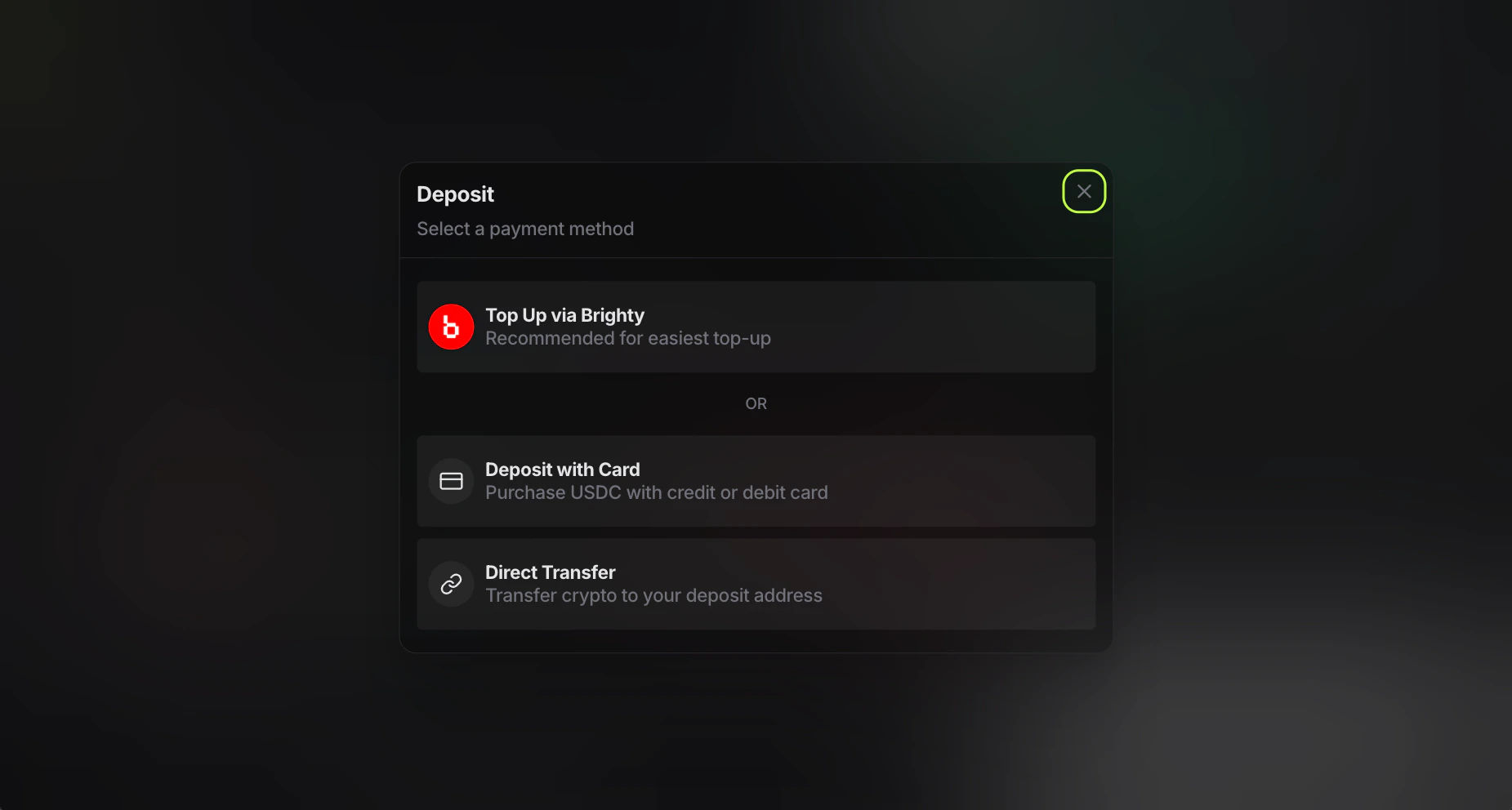 3. Scan the QR code with the Brighty app.
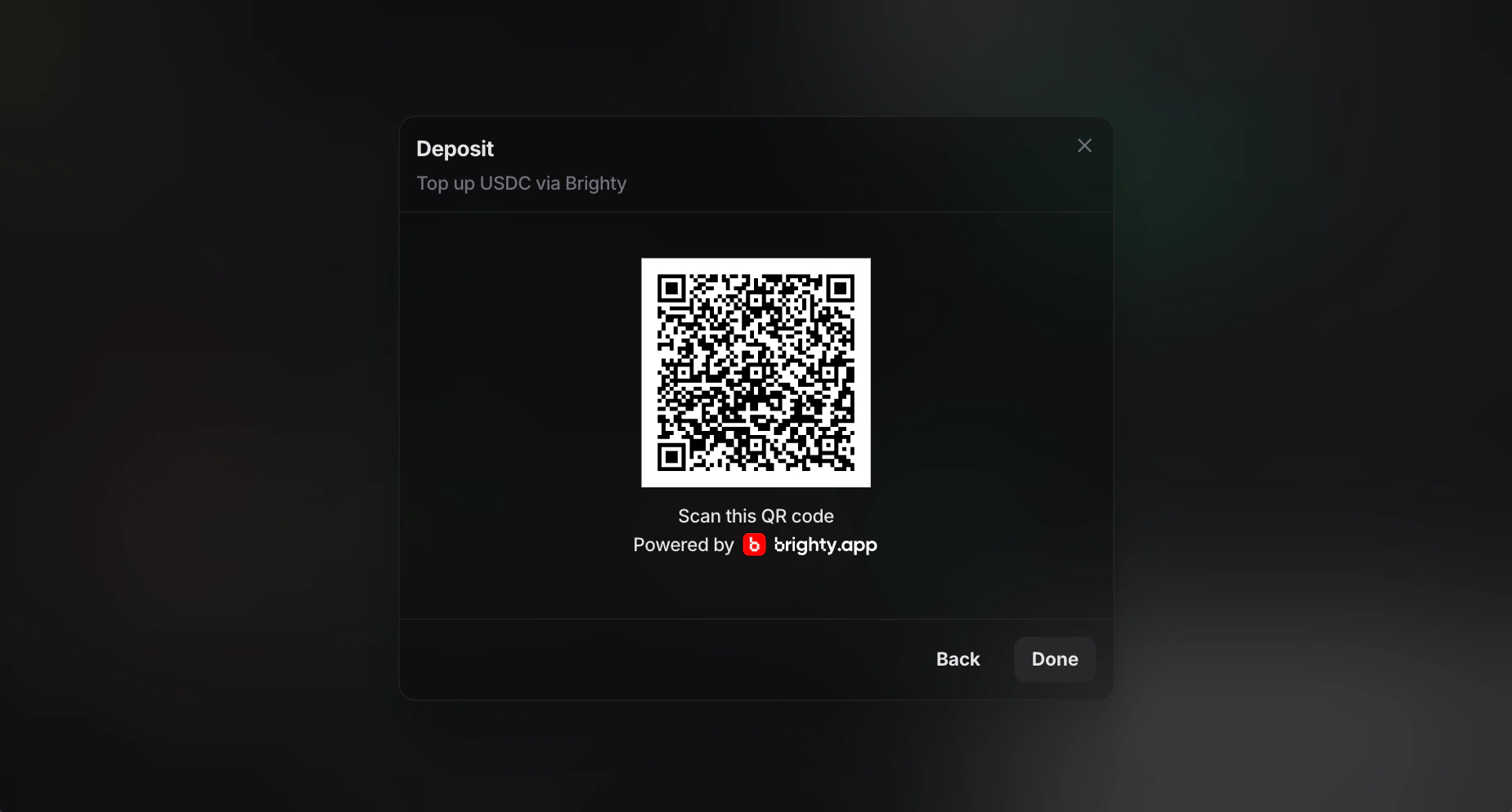 4. Confirm the transfer in your Brighty wallet.
5. Wait for the transfer to complete.
After the transfer is confirmed, the funds are credited to your **Perps** balance in Entry Finance.
## Deposit with Card
This method is useful if you want to buy USDC directly with a bank card.
1. Click the **Deposit** button in the top right corner of the terminal.
2. Select `Deposit with Card`.
3. Choose your fiat currency. You can find the full list of supported fiat currencies at the bottom of the page.
4. Confirm the transfer in your Brighty wallet.
5. Wait for the transfer to complete.
After the transfer is confirmed, the funds are credited to your **Perps** balance in Entry Finance.
## Deposit with Card
This method is useful if you want to buy USDC directly with a bank card.
1. Click the **Deposit** button in the top right corner of the terminal.
2. Select `Deposit with Card`.
3. Choose your fiat currency. You can find the full list of supported fiat currencies at the bottom of the page.
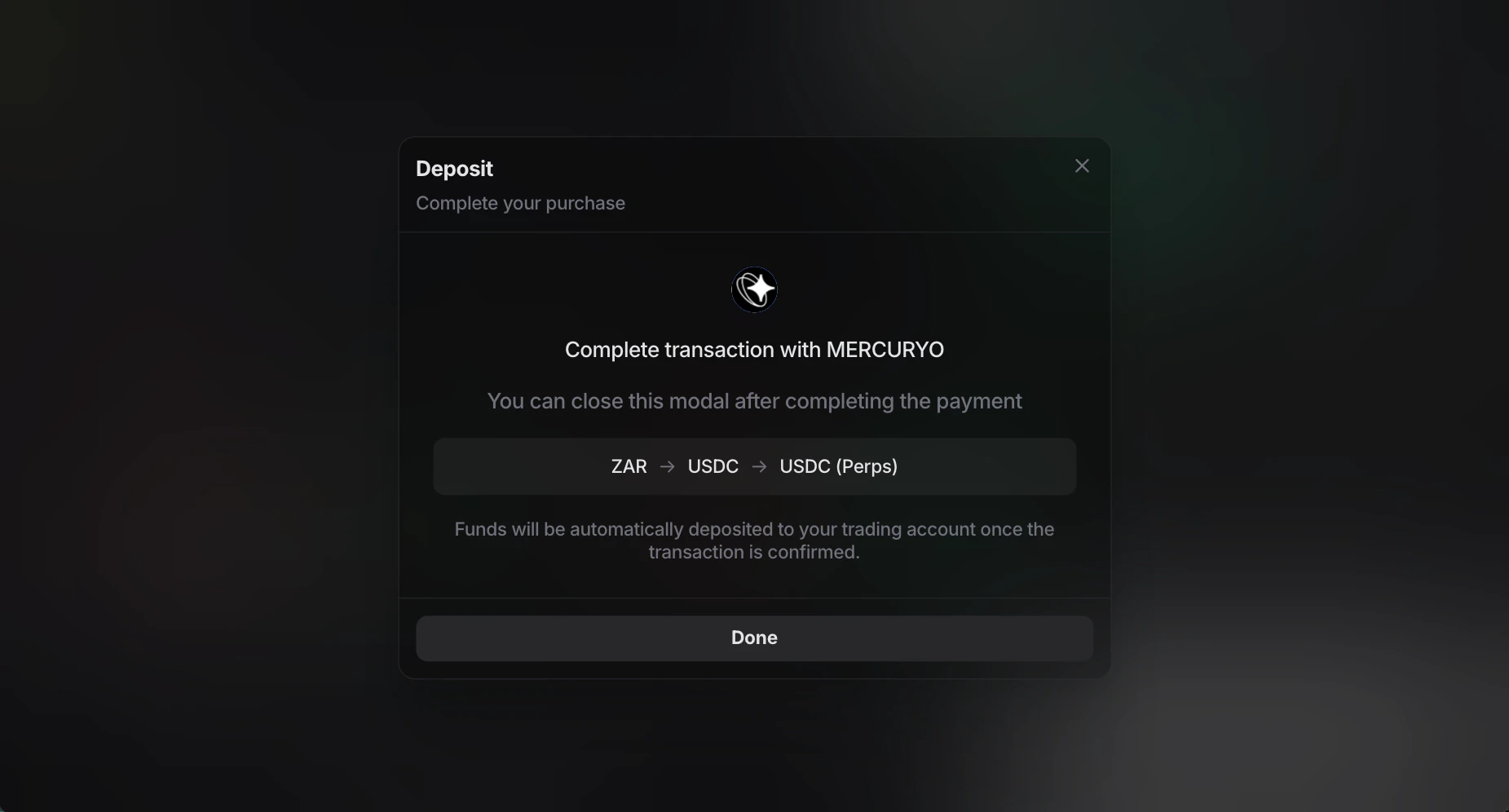
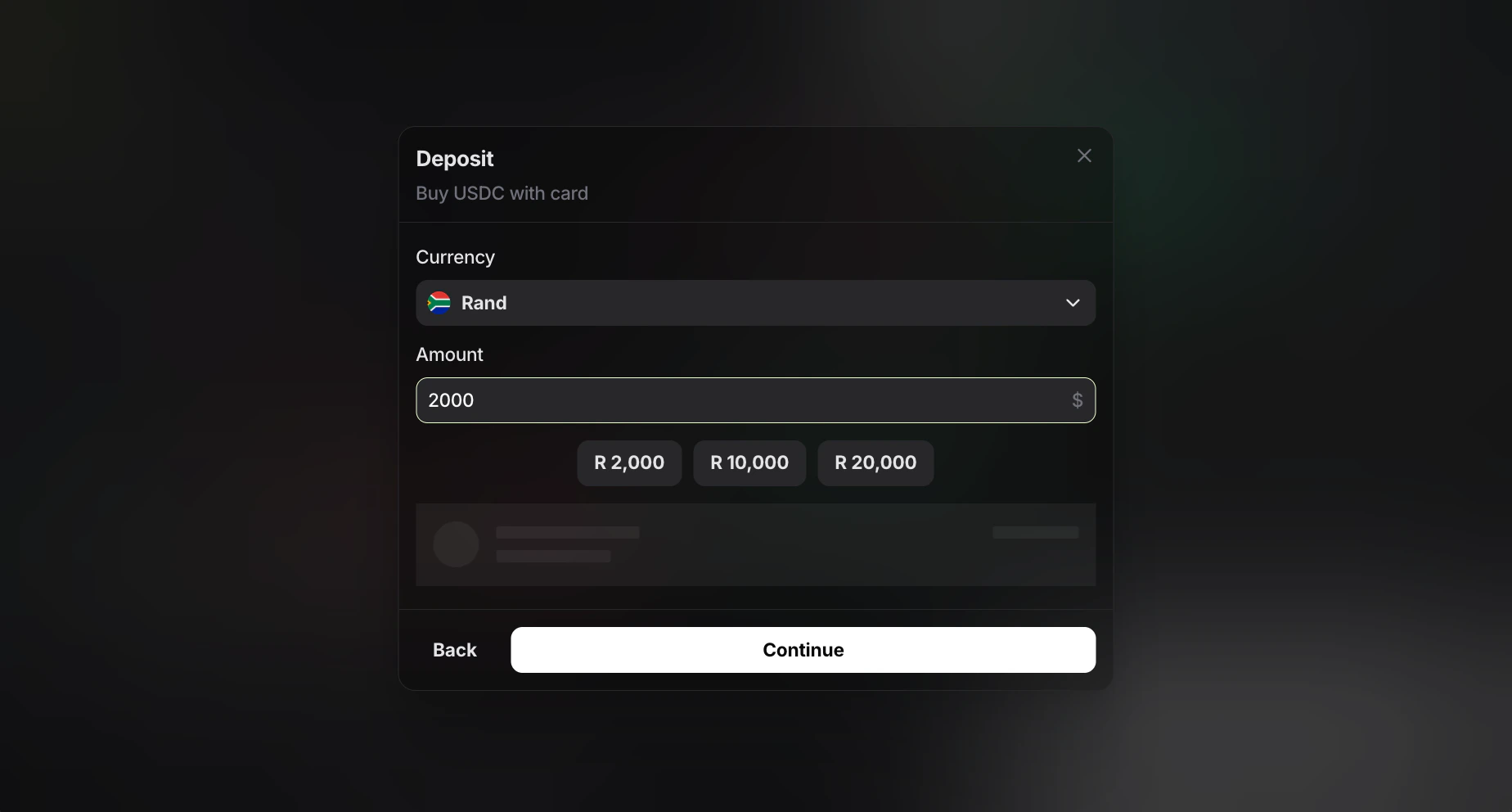 4. Enter the amount you want to spend. Entry Finance will automatically select the most favorable partner and display the final amount you will receive in USD in the window below.
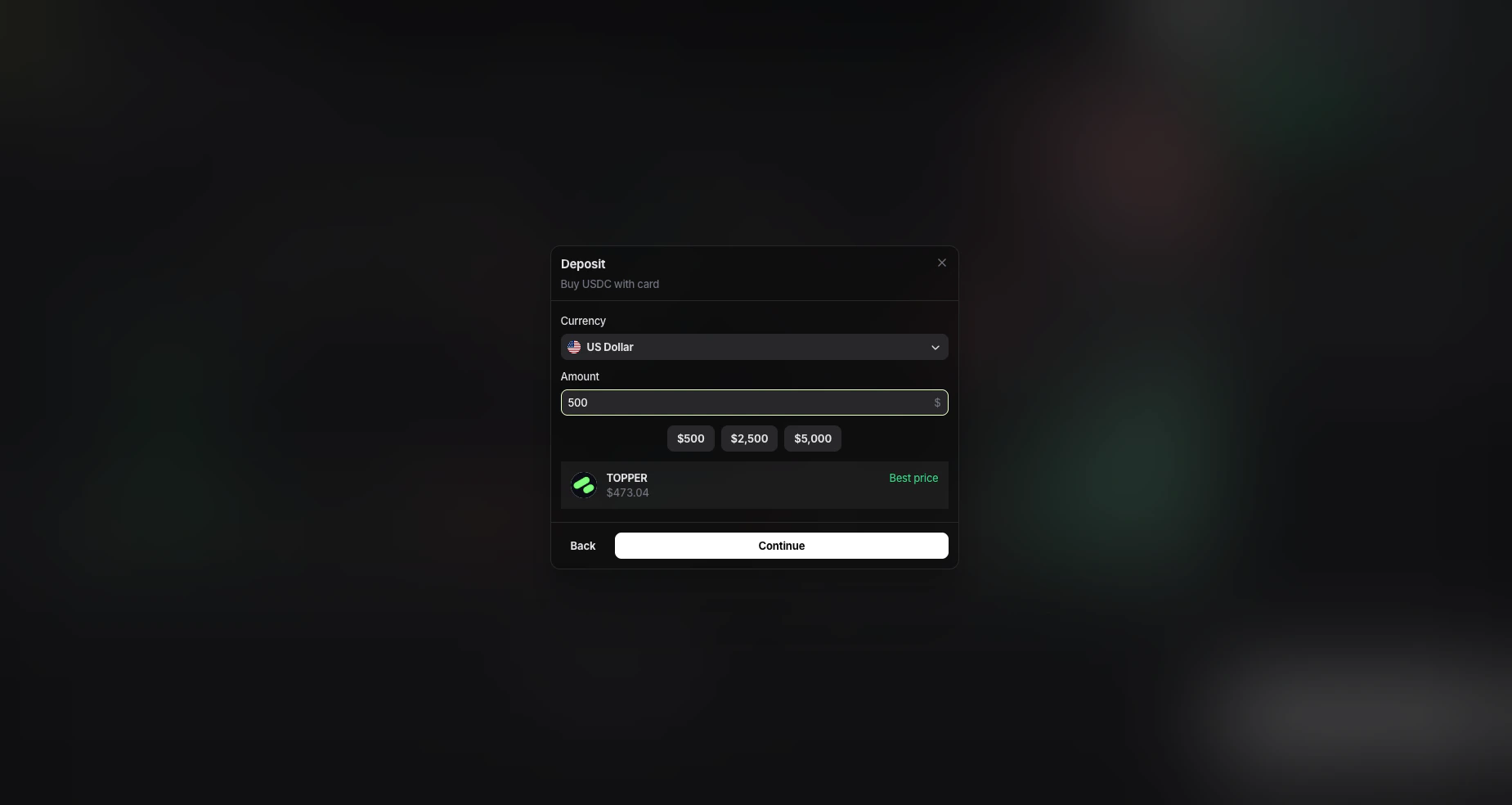 5. Click `Continue` and complete the card payment in the partner interface.
 ## Deposit via Direct Transfer
This method is useful if you already hold USDC and want to send it directly to Entry Finance.
1. Open the **Deposit** window in Entry Finance.
2. Select `Direct Transfer`.
3. Choose `USDC` as the token and correct network. Supported deposit networks:
* `Arbitrum`
* `Base`
* `Ethereum`
* `Polygon`
## Deposit via Direct Transfer
This method is useful if you already hold USDC and want to send it directly to Entry Finance.
1. Open the **Deposit** window in Entry Finance.
2. Select `Direct Transfer`.
3. Choose `USDC` as the token and correct network. Supported deposit networks:
* `Arbitrum`
* `Base`
* `Ethereum`
* `Polygon`
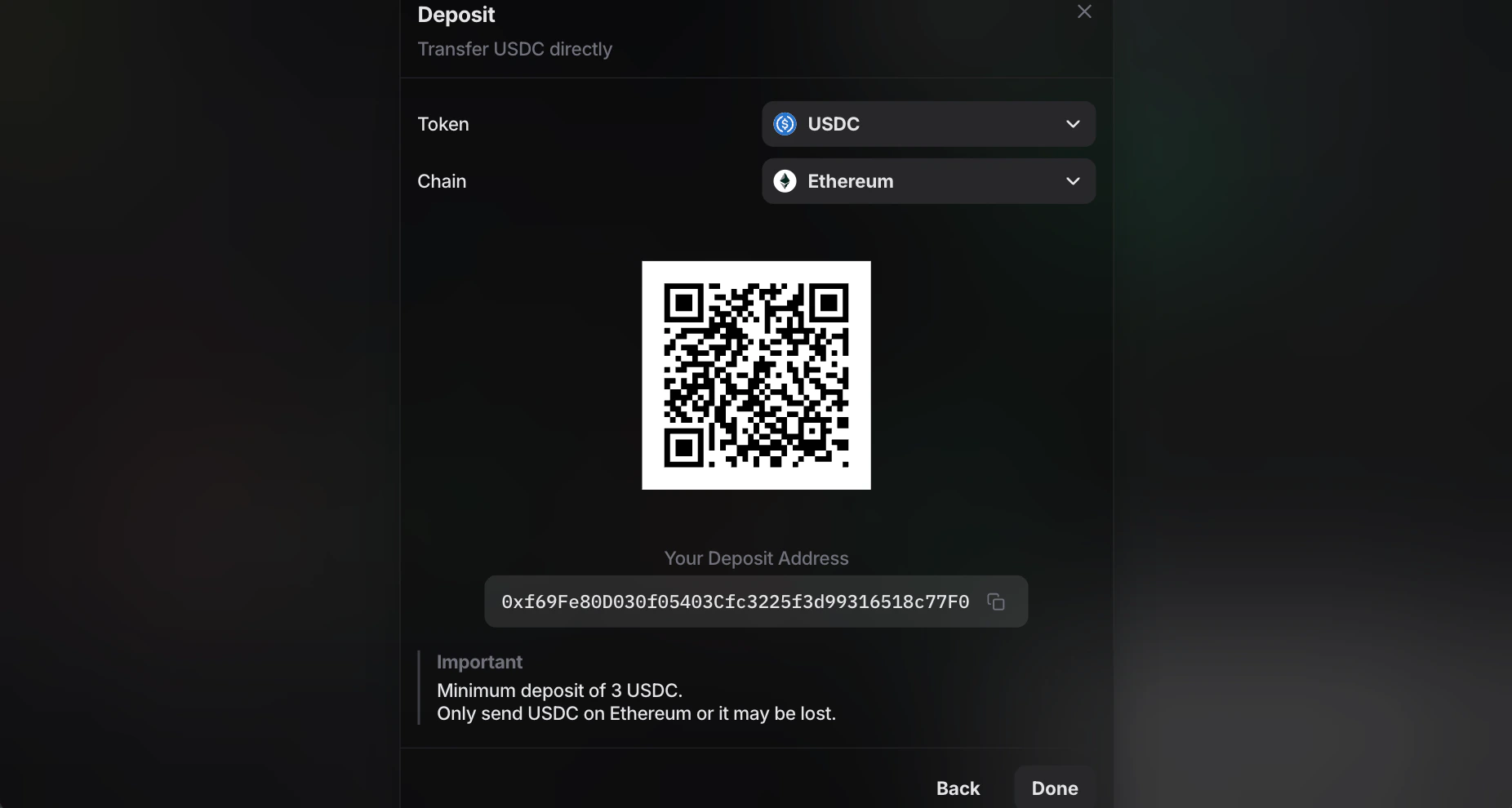 4. Copy your deposit address or scan the QR code.
5. Send USDC to that address from your wallet or exchange.
6. Wait for the transfer to be confirmed.
Always send the exact token on the exact selected network. In the current flow, `Direct Transfer` accepts `USDC` only. Sending the wrong asset or using the wrong network may result in lost funds.
The current `Direct Transfer` screen also shows a minimum deposit of `3 USDC`.
## Supported fiat currencies
For `Deposit with Card`:
* 🇦🇷 Argentine Peso
* 🇦🇲 Armenian Dram
* 🇦🇺 Australian Dollar
* 🇧🇭 Bahraini Dinar
* 🇹🇭 Baht
* 🇧🇲 Bermudian Dollar
* 🇧🇷 Brazilian Real
* 🇧🇬 Bulgarian Lev
* 🌍 CFA Franc BEAC
* 🇨🇦 Canadian Dollar
* 🇨🇱 Chilean Peso
* 🇨🇴 Colombian Peso
* 🇭🇷 Croatian kuna
* 🇨🇿 Czech Koruna
* 🇩🇰 Danish Krone
* 🇩🇴 Dominican Peso
* 🇻🇳 Dong
* 🇪🇺 Euro
* 🇭🇺 Forint
* 🇬🇭 Ghana Cedi
* 🇭🇰 Hong Kong Dollar
* 🇺🇦 Hryvnia
* 🇮🇸 Iceland Krona
* 🇮🇳 Indian Rupee
* 🇯🇴 Jordanian Dinar
* 🇰🇪 Kenyan Shilling
* 🇰🇼 Kuwaiti Dinar
* 🇬🇪 Lari
* 🇲🇼 Malawi Kwacha
* 🇲🇾 Malaysian Ringgit
* 🇲🇽 Mexican Peso
* 🇲🇩 Moldovan Leu
* 🇳🇬 Naira
* 🇮🇱 New Israeli Sheqel
* 🇹🇼 New Taiwan Dollar
* 🇳🇿 New Zealand Dollar
* 🇳🇴 Norwegian Krone
* 🇺🇾 Peso Uruguayo
* 🇵🇭 Philippine Peso
* 🇶🇦 Qatari Rial
* 🇬🇧 Pound Sterling
* 🇧🇼 Pula
* 🇿🇦 Rand
* 🇷🇴 Romanian Leu
* 🇮🇩 Rupiah
* 🇷🇼 Rwanda Franc
* 🇸🇦 Saudi Riyal
* 🇷🇸 Serbian Dinar
* 🇸🇬 Singapore Dollar
* 🇵🇪 Sol
* 🇱🇰 Sri Lanka Rupee
* 🇸🇪 Swedish Krona
* 🇨🇭 Swiss Franc
* 🇰🇿 Tenge
* 🇹🇷 Turkish Lira
* 🇦🇪 UAE Dirham
* 🇺🇸 US Dollar
* 🇺🇬 Uganda Shilling
* 🇰🇷 Won
* 🇯🇵 Yen
* 🇨🇳 Yuan Renminbi
* 🇵🇱 Zloty
4. Copy your deposit address or scan the QR code.
5. Send USDC to that address from your wallet or exchange.
6. Wait for the transfer to be confirmed.
Always send the exact token on the exact selected network. In the current flow, `Direct Transfer` accepts `USDC` only. Sending the wrong asset or using the wrong network may result in lost funds.
The current `Direct Transfer` screen also shows a minimum deposit of `3 USDC`.
## Supported fiat currencies
For `Deposit with Card`:
* 🇦🇷 Argentine Peso
* 🇦🇲 Armenian Dram
* 🇦🇺 Australian Dollar
* 🇧🇭 Bahraini Dinar
* 🇹🇭 Baht
* 🇧🇲 Bermudian Dollar
* 🇧🇷 Brazilian Real
* 🇧🇬 Bulgarian Lev
* 🌍 CFA Franc BEAC
* 🇨🇦 Canadian Dollar
* 🇨🇱 Chilean Peso
* 🇨🇴 Colombian Peso
* 🇭🇷 Croatian kuna
* 🇨🇿 Czech Koruna
* 🇩🇰 Danish Krone
* 🇩🇴 Dominican Peso
* 🇻🇳 Dong
* 🇪🇺 Euro
* 🇭🇺 Forint
* 🇬🇭 Ghana Cedi
* 🇭🇰 Hong Kong Dollar
* 🇺🇦 Hryvnia
* 🇮🇸 Iceland Krona
* 🇮🇳 Indian Rupee
* 🇯🇴 Jordanian Dinar
* 🇰🇪 Kenyan Shilling
* 🇰🇼 Kuwaiti Dinar
* 🇬🇪 Lari
* 🇲🇼 Malawi Kwacha
* 🇲🇾 Malaysian Ringgit
* 🇲🇽 Mexican Peso
* 🇲🇩 Moldovan Leu
* 🇳🇬 Naira
* 🇮🇱 New Israeli Sheqel
* 🇹🇼 New Taiwan Dollar
* 🇳🇿 New Zealand Dollar
* 🇳🇴 Norwegian Krone
* 🇺🇾 Peso Uruguayo
* 🇵🇭 Philippine Peso
* 🇶🇦 Qatari Rial
* 🇬🇧 Pound Sterling
* 🇧🇼 Pula
* 🇿🇦 Rand
* 🇷🇴 Romanian Leu
* 🇮🇩 Rupiah
* 🇷🇼 Rwanda Franc
* 🇸🇦 Saudi Riyal
* 🇷🇸 Serbian Dinar
* 🇸🇬 Singapore Dollar
* 🇵🇪 Sol
* 🇱🇰 Sri Lanka Rupee
* 🇸🇪 Swedish Krona
* 🇨🇭 Swiss Franc
* 🇰🇿 Tenge
* 🇹🇷 Turkish Lira
* 🇦🇪 UAE Dirham
* 🇺🇸 US Dollar
* 🇺🇬 Uganda Shilling
* 🇰🇷 Won
* 🇯🇵 Yen
* 🇨🇳 Yuan Renminbi
* 🇵🇱 Zloty