> ## Documentation Index
> Fetch the complete documentation index at: https://docs.entry.fi/llms.txt
> Use this file to discover all available pages before exploring further.

# Como gerenciar TP/SL

**Take Profit** e **Stop Loss** permitem definir como a posição deve ser fechada sem vigiar o chart o tempo todo.

## Adicionar TP ou SL ao abrir a posição

1. Abra o painel de trading.
   <Frame>
     <img src="https://mintcdn.com/entryfinance/nvz4enXhQQiE5J4Q/images/Screenshot2026-04-01at18.27.58.png?fit=max&auto=format&n=nvz4enXhQQiE5J4Q&q=85&s=2f35872e8780ca5dd253a2714063d2b6" alt="Screenshot2026 04 01at18 27 58" width="357" height="167" data-path="images/Screenshot2026-04-01at18.27.58.png" />
   </Frame>
2. Escolha mercado, tipo de ordem e direção.
3. Informe o tamanho.
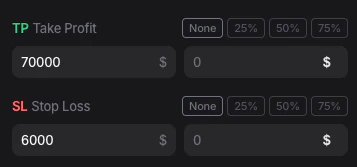
4. Preencha `TP Take Profit` e `SL Stop Loss`.
5. Envie a ordem.

## Adicionar take profit a uma posição aberta
<Frame>
  <img src="https://mintcdn.com/entryfinance/nvz4enXhQQiE5J4Q/images/tppan.png?fit=max&auto=format&n=nvz4enXhQQiE5J4Q&q=85&s=133b34e477f0731c4d9e5acae96a6b36" alt="Tppan" width="1483" height="320" data-path="images/tppan.png" />
</Frame>

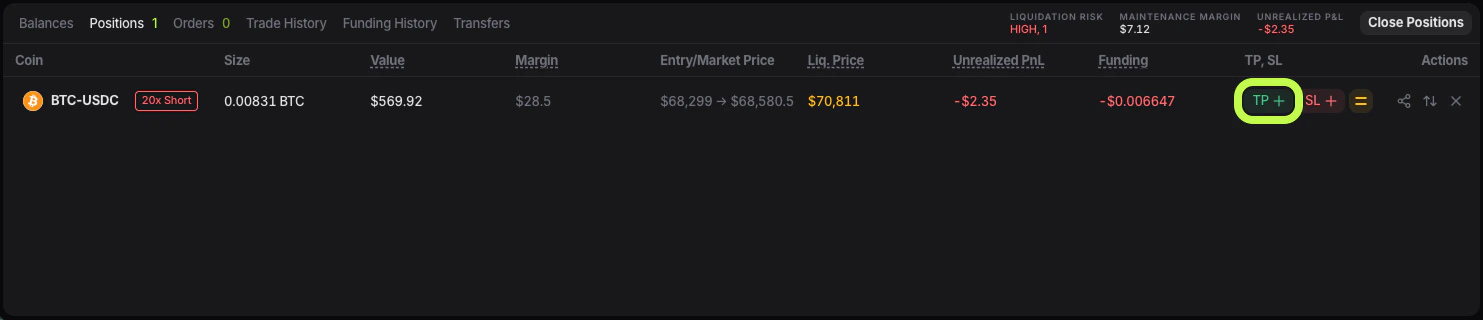
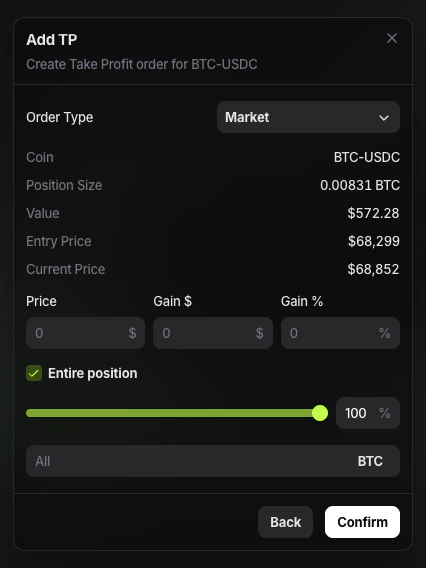
Em **Positions**, use o controle **TP +**.
<Frame>
  <img src="https://mintcdn.com/entryfinance/nvz4enXhQQiE5J4Q/images/Screenshot2026-04-01at18.54.54.png?fit=max&auto=format&n=nvz4enXhQQiE5J4Q&q=85&s=17b81388bbf2efd124ffdd32810268de" alt="Screenshot 2026 04 01 At 18 54 54" width="426" height="568" data-path="images/Screenshot2026-04-01at18.54.54.png" />
</Frame>

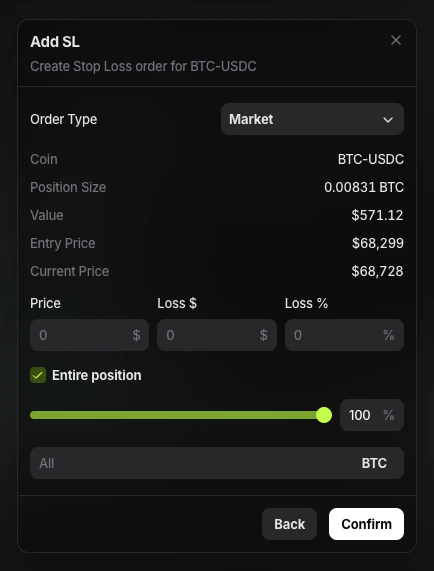
## Adicionar stop loss a uma posição aberta
<Frame>
  <img src="https://mintcdn.com/entryfinance/nvz4enXhQQiE5J4Q/images/sled.png?fit=max&auto=format&n=nvz4enXhQQiE5J4Q&q=85&s=e27c5506af323f95d6a47629e19fea31" alt="Sled" width="1483" height="320" data-path="images/sled.png" />
</Frame>

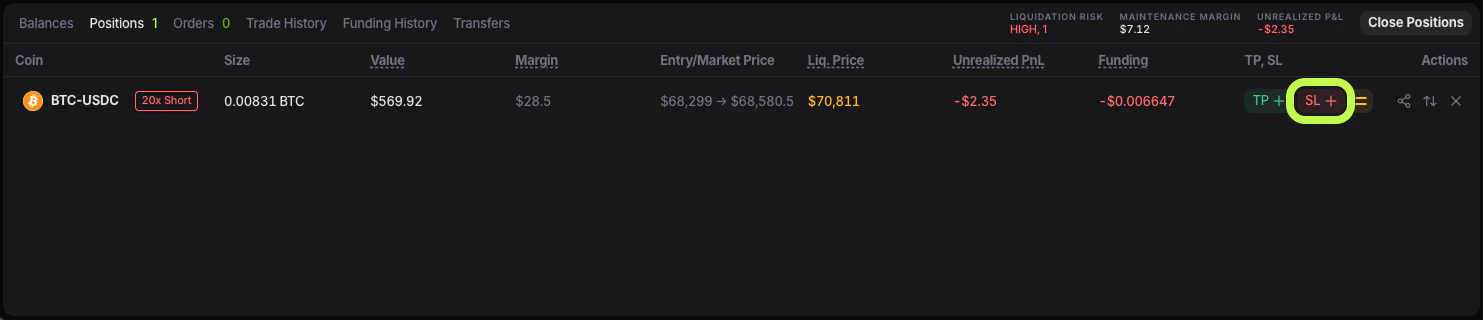
Na mesma linha da posição, use o controle **SL**.
<Frame>
  <img src="https://mintcdn.com/entryfinance/nvz4enXhQQiE5J4Q/images/Screenshot2026-04-01at19.05.07.png?fit=max&auto=format&n=nvz4enXhQQiE5J4Q&q=85&s=055856e52db6d34d42c63a56fb6a8e86" alt="Screenshot 2026 04 01 At 19 05 07" width="434" height="571" data-path="images/Screenshot2026-04-01at19.05.07.png" />
</Frame>
